Collabhouse just leveled up
The platform now does a lot more of the heavy lifting around an artist career, from analytics to forms to pitching. Here is what is new, what got better, and what is worth a second look.
This is not a marketing list. It is a working tour of the tools artists can open today.
What is new
1. AI Manager, major update
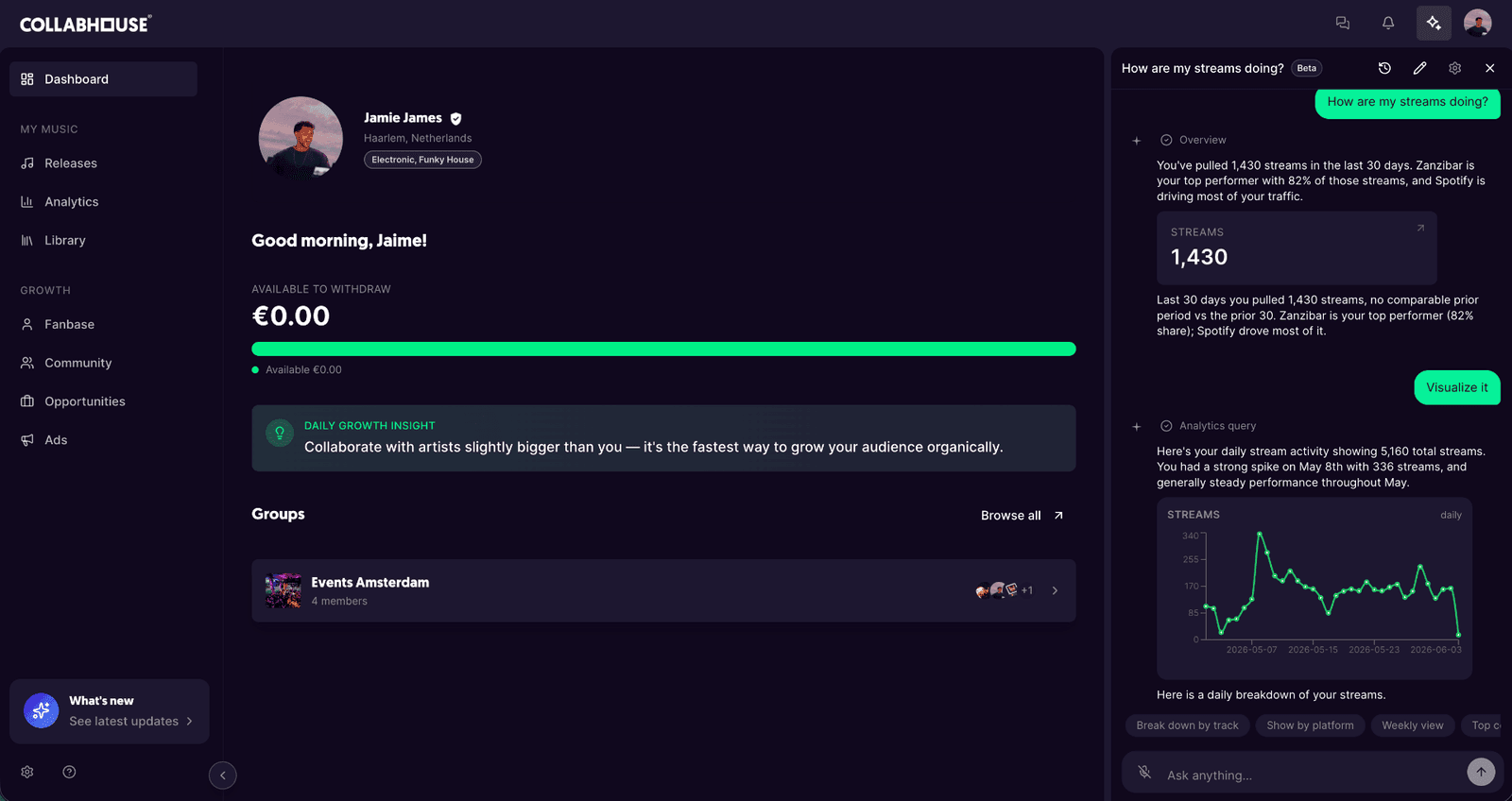
The AI Manager is now connected to personal artist data, so it can actually help with a career instead of giving generic advice. It reads analytics, walks artists through new releases, and remembers what matters.
Ask it things like:
- "How did my last single perform in Germany?"
- "Draft my release plan for the next EP."
- "Which cities should I focus on for my next tour?"
It has the context to answer, because it is looking at real numbers, not the internet's averages. Learn more about how the AI Manager fits into the workflow.
2. Forms on your artist page
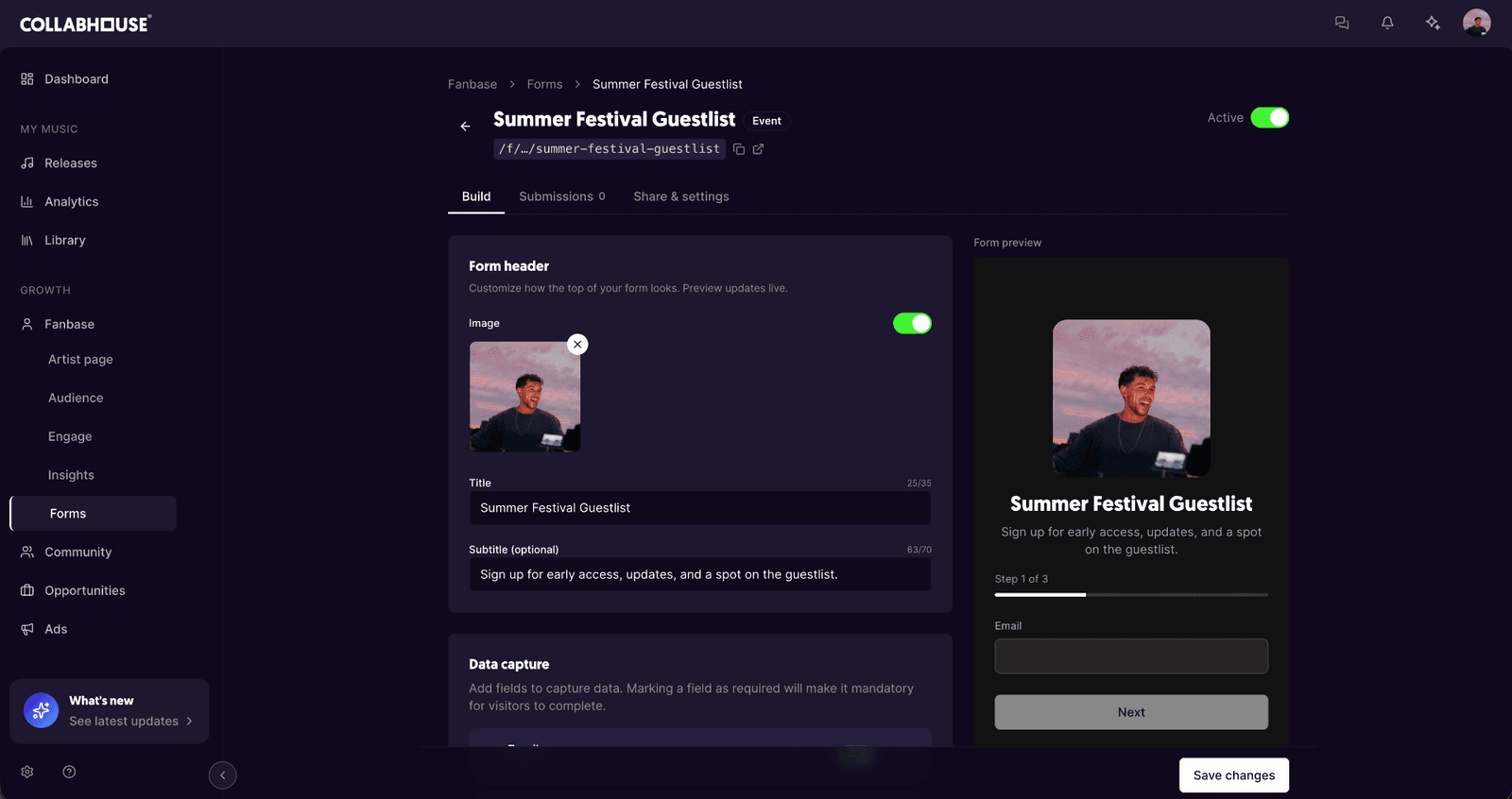
Collect fan emails, demo requests, and bookings with unlimited custom forms built straight into the public artist page. Event RSVPs, guest lists, release announcements, merch pre-orders, ticket waitlists, anything worth capturing.
Each form is branded, shareable with a single link, and feeds straight into the fanbase. So instead of juggling Google Forms, Typeform, and a spreadsheet, every signup lands in one place, ready to segment and message. See how the fanbase tools work end to end.
3. New opportunities
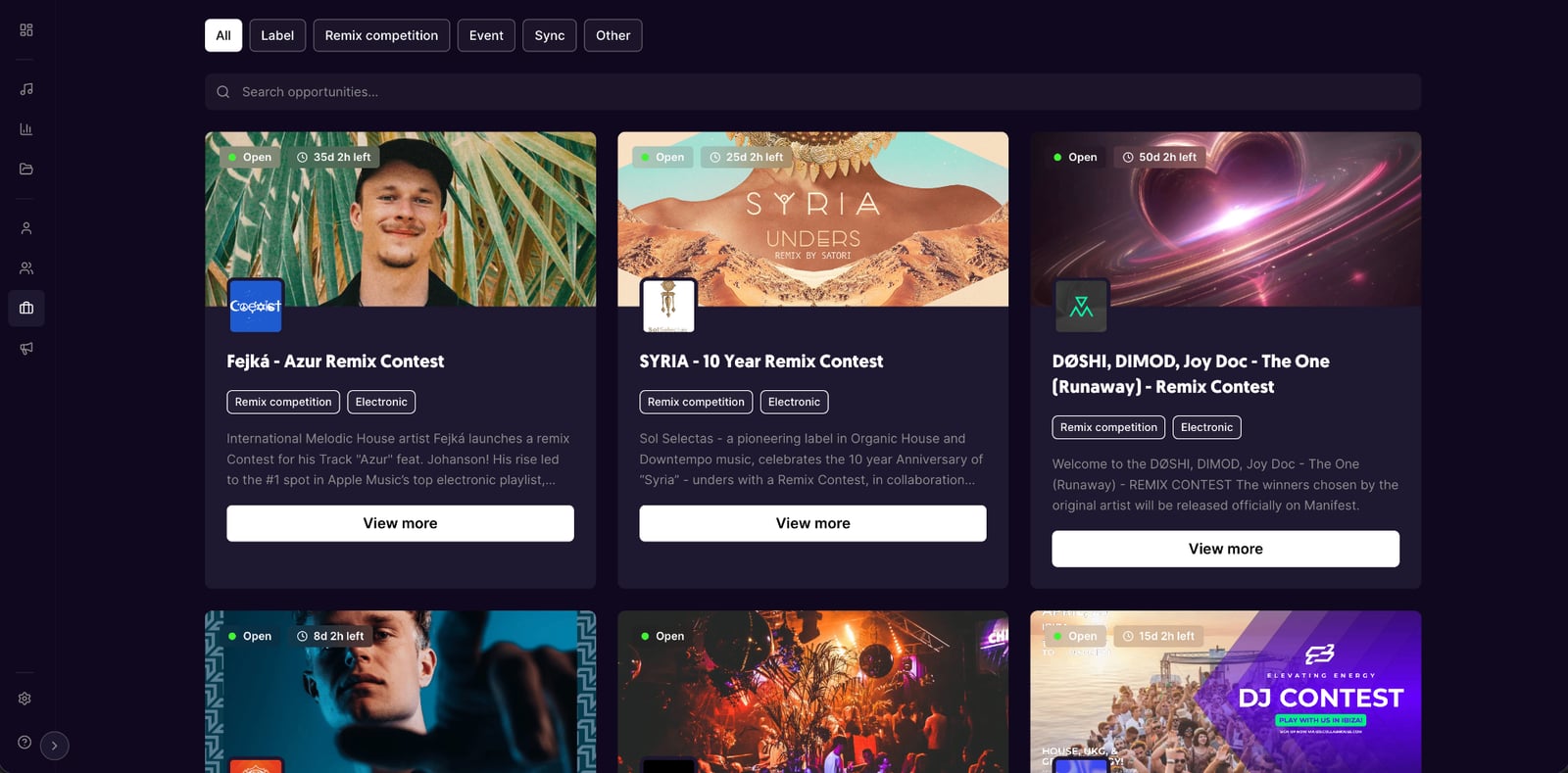
Fresh opportunities to pitch music to labels, contests, and curated playlists, straight from the platform. New pitch slots are added continuously, so it pays to check in every week. The artists who show up consistently are the ones who get picked.
Browse what is open right now in opportunities.
4. Advanced analytics
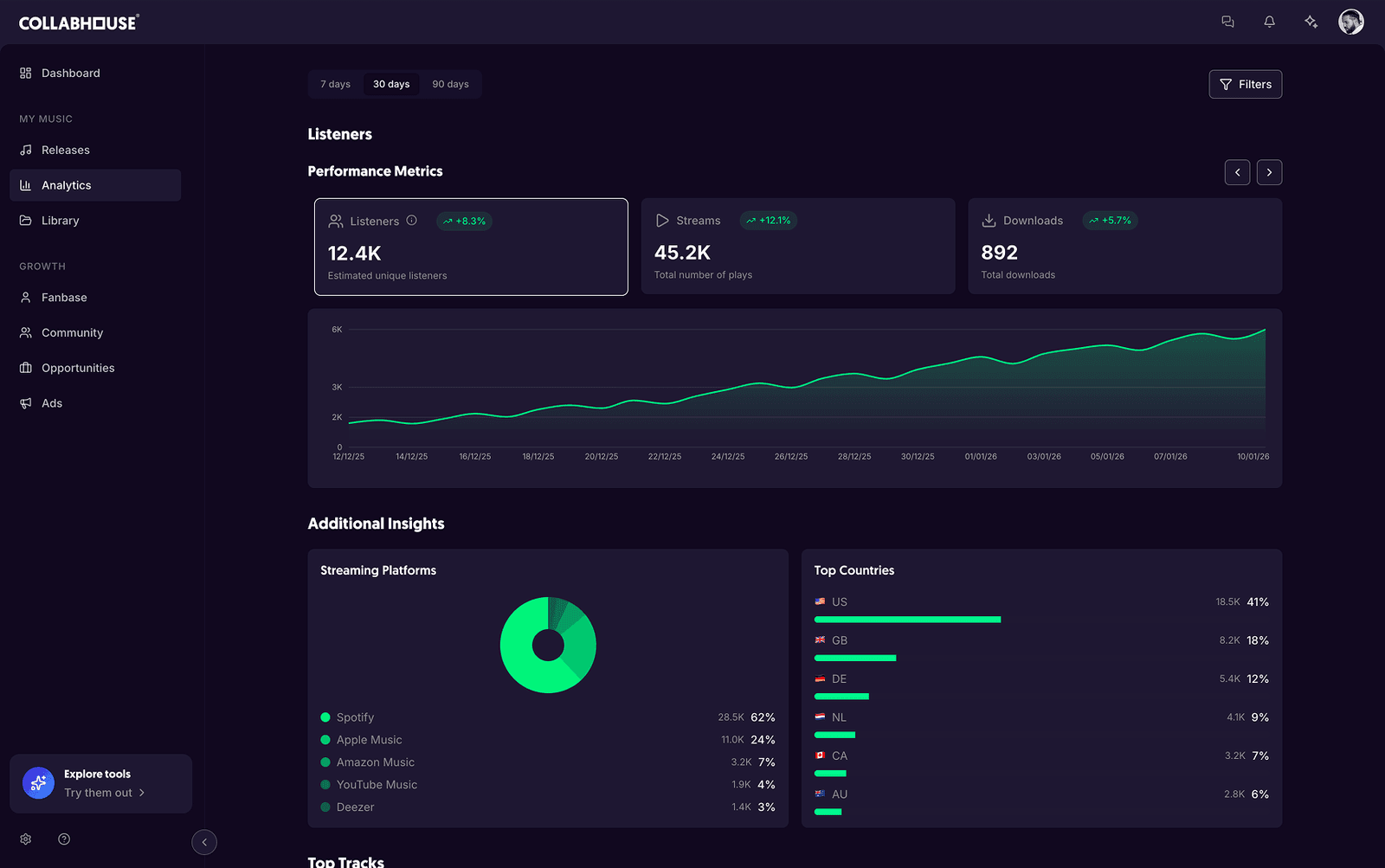
Track streams, audience demographics, and revenue across every DSP in one dashboard. No more bouncing between Spotify for Artists, Apple Music for Artists, and a spreadsheet that gets updated once a month and then ignored.
Artists get:
- Daily streams per platform and per release
- Where listeners actually live, down to city level
- Revenue trends to plan around
- Audience demographics that inform the next campaign
It is the same data the labels use, surfaced for independent artists.
5. Pre-save links for every release
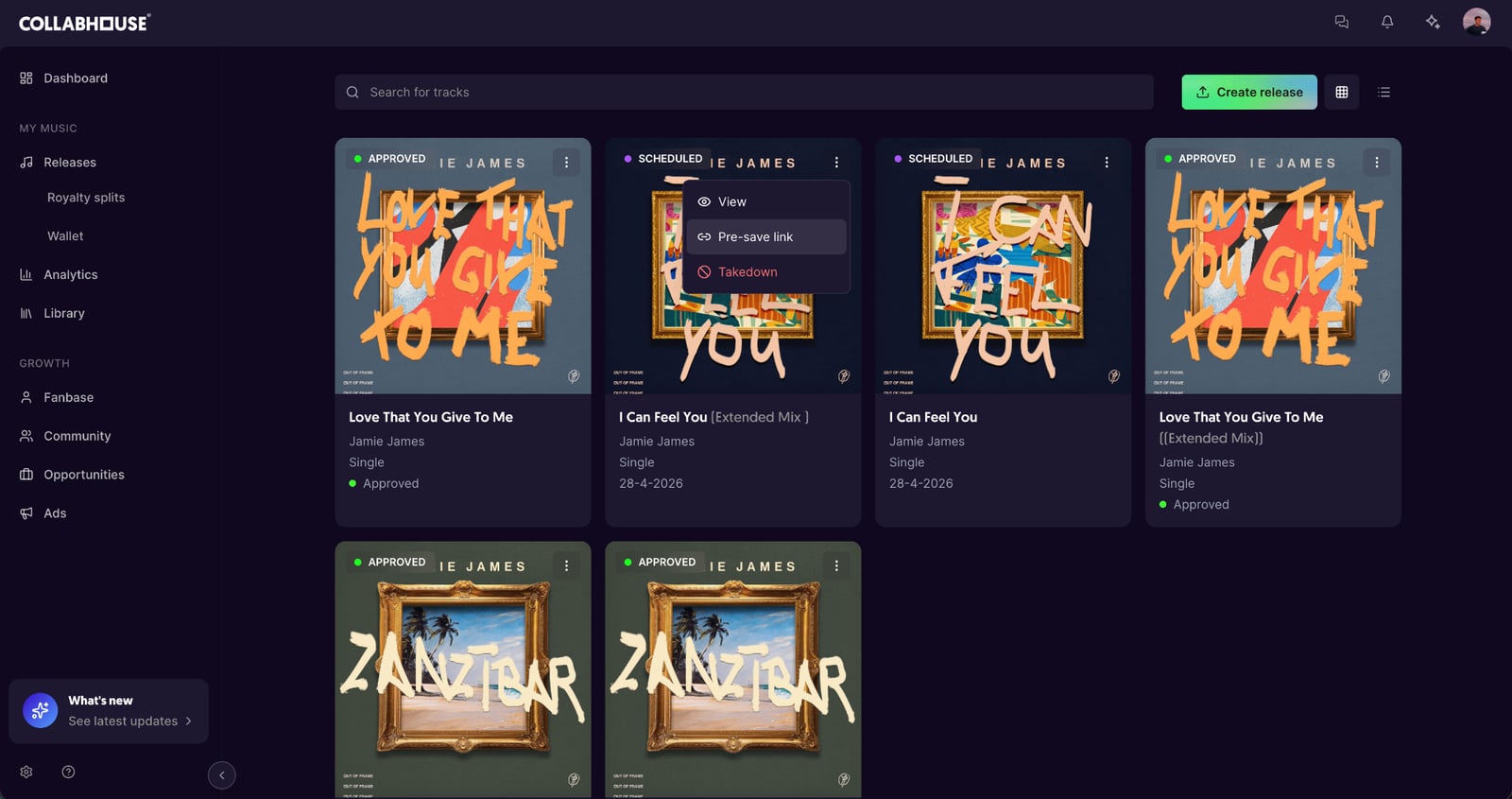
Once a release is approved, a pre-save page is auto generated so fans can save it on Spotify and Apple Music before drop day. One link, every platform, real first day streams.
No third party pre-save service, no extra setup. It is built into distribution.
Where to start
A short checklist for the first session back:
- Open the AI Manager and ask how your streams are doing and what the standout insights are.
- Spin up a form to collect signups for an upcoming event or release.
- Browse opportunities and pitch to at least one this week.
- Check analytics for the last 30 days, including the country breakdown, and play around with the filters.
- Set up a pre-save link for the next drop.
Most of this used to live across five different tools. Now it lives in one place, with artist data in the middle of it.